Click image to enlarge
|
Visual Editor for Dialog and Forms
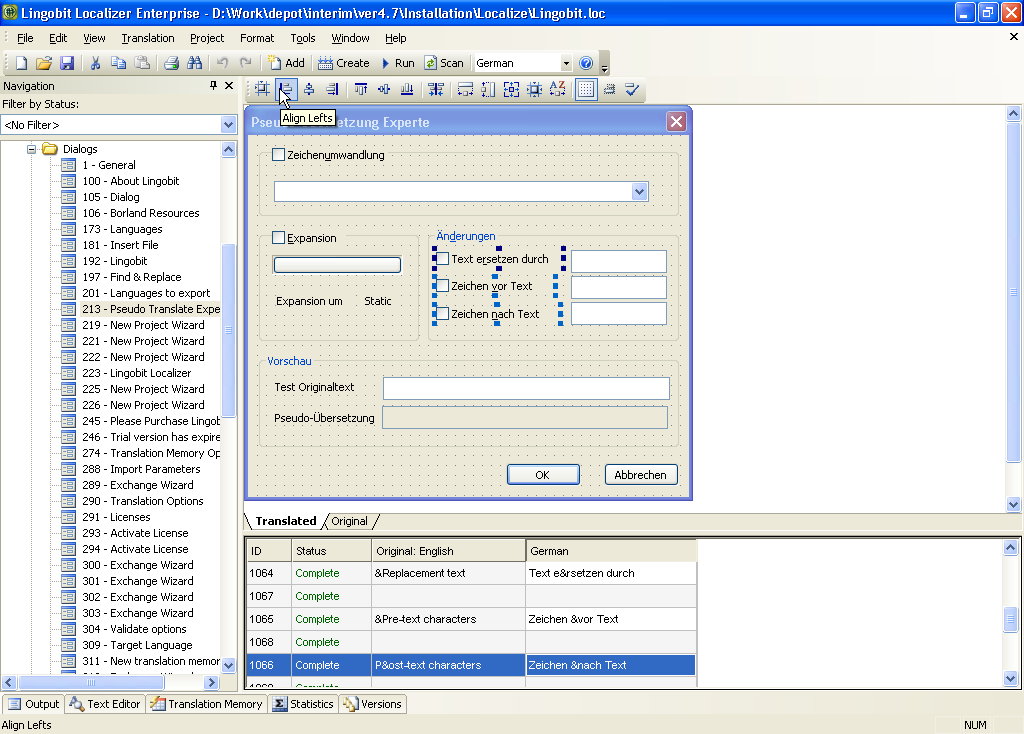
Visual editor lets you see and edit dialogs and forms during software localization. Layout managers helps you adapt controls to fit translated text.
|

Click image to enlarge
|
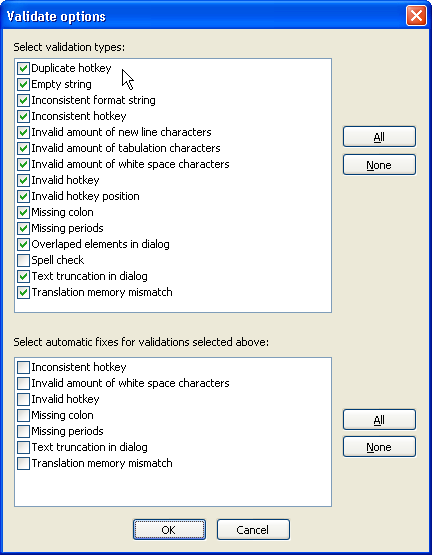
Automatic Validation and Fix
Validation checks spelling and automatically recognize common software localization problems such as truncated or overlapping text, incorrect allocation of shortcuts, accelerators and access keys and many other errors. Furthermore, Lingobit Software Localization Tool can automatically fix most of these errors.
|

Click image to enlarge
After Pseudo-Translate: 
Click image to enlarge |
Pseudo-Translate
Pseudo-Translate is the best way to check whether your application is ready for localization.
Pseudo Translate inserts a language-specific characters (like î â é ô) in all strings across the application. Modified text is still readable and one can identify whether an element is separated for localization and whether application displays foreign characters.
|

Click image to enlarge
|
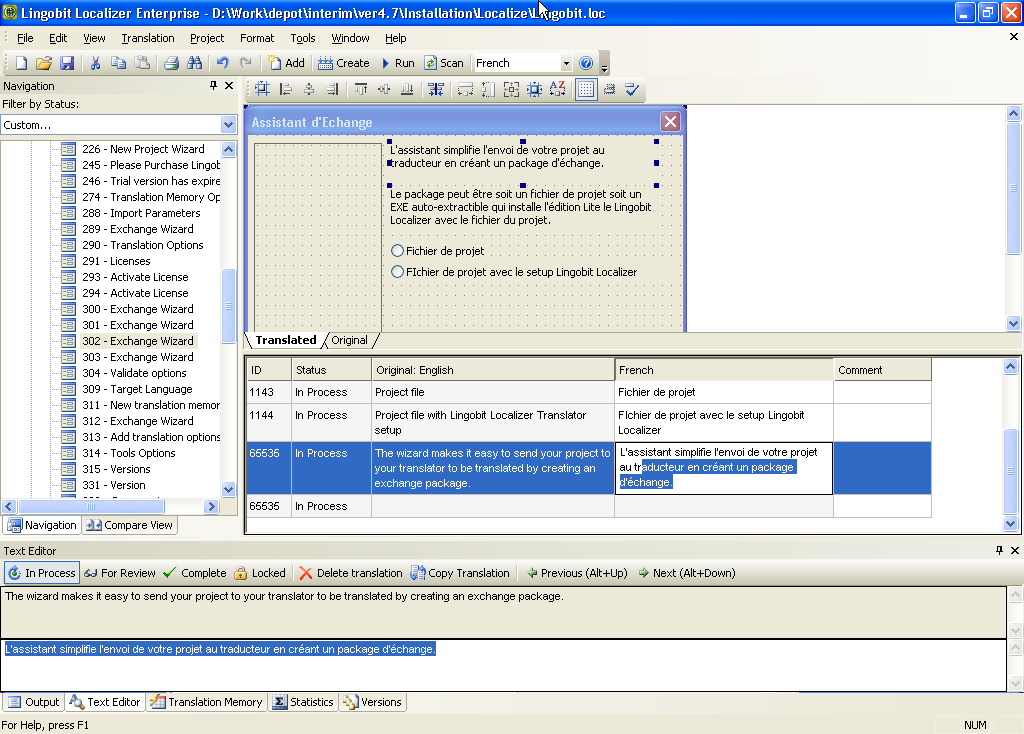
Handy in-grid editing
You can use multiline editing capcabilities in translation grid.
|

Click image to enlarge
|
Powerful Layout Manager
Easily adapt user interface using exciting Localization Layout Manager tools: Size to Content, Flip, Align, Make Same Size and many others.
|

Click image to enlarge
|
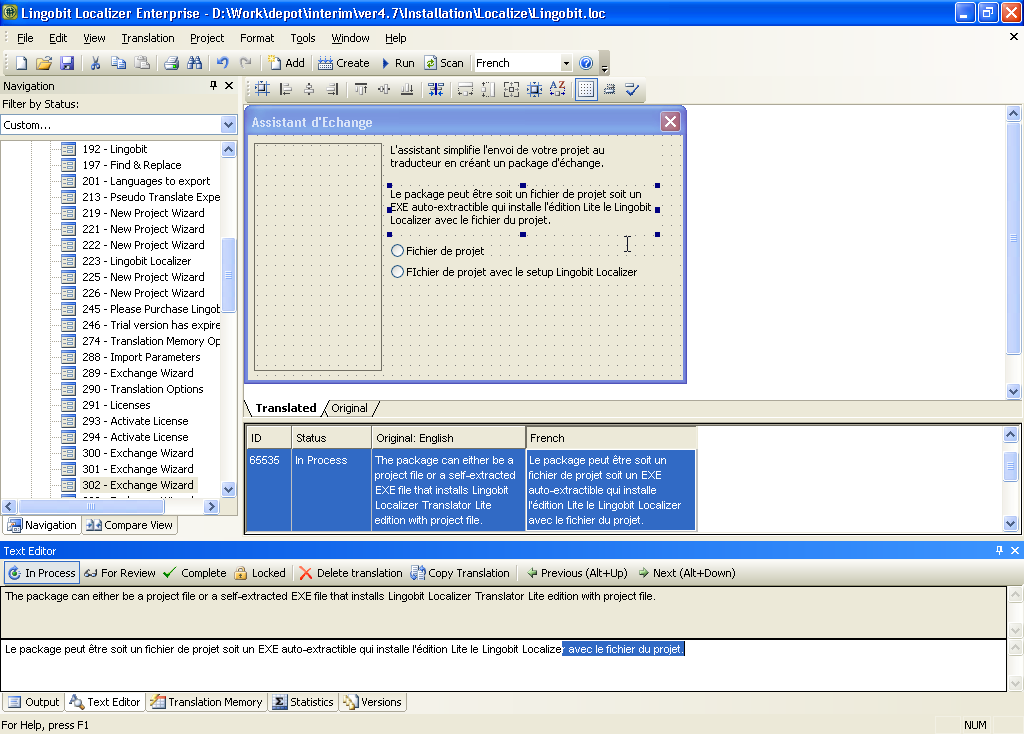
Full-size text editor
You can localize long strings in an additional text editor.
|

Click image to enlarge
|
Supports all languages
Lingobit Software Localization Tool can work with multiple languages at the same time.
|

Click image to enlarge
|
Exchange with translators
Exchange Wizard is the most important tool for software localization. It ensures effortless collaboration among localization manager, translators and QA team and prevents translators from unintentionally changing non-localizable or protected resources.
|

Click image to enlarge
|
Create self-extracting packages
Using Exchange Wizard you can create a self-extracting software localization package that includes Lingobit Localizer Translator edition. This package is all translator needs to work on your project.
|

Click image to enlarge
|
Several languages in one project
Use single project to translate your application to any number of languages. Lingobit Software Localization Tool supports all languages that Windows supports.
|

Click image to enlarge
|
Statistics
Control software localization progress with Statistics.
|

Click image to enlarge
|
Available in 13 language
Lingobit Localizer has multilingual user interface in seven most popular languages: English, German, French, Finnish, Swedish, Hungarian, Spanish, Japanese, Chinese, Korean, Dutch, Kazakh and Russian.
|

Click image to enlarge
|
Apply filter to your project
Increase your software localization productivity using Lingobit Localizer filter capabilities.
|

Click image to enlarge
|
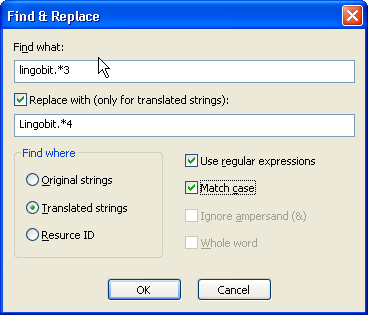
Find and Replace
Use powerful search and replace tool with regular expressions.
|

Click image to enlarge
|
Localize any resources
With Lingobit Software Localization tool you can localize any resource from your application.
|